
Whisper Notes
Offline Whisper Transcription
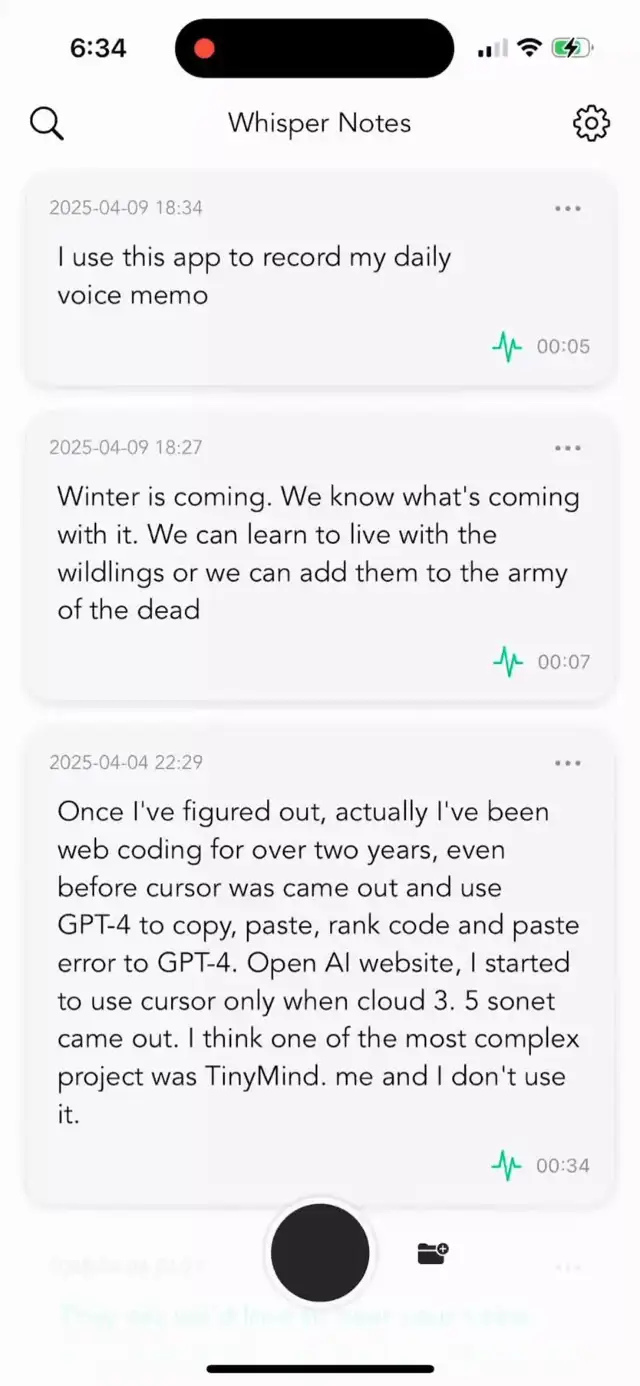
Record voice or import audio files, get accurate speech to text. Everything runs offline on your iPhone or Mac—no internet needed, no cloud uploads, no subscriptions.
Chosen by 60,000+ professionals
Features
Powerful features that make transcription effortless
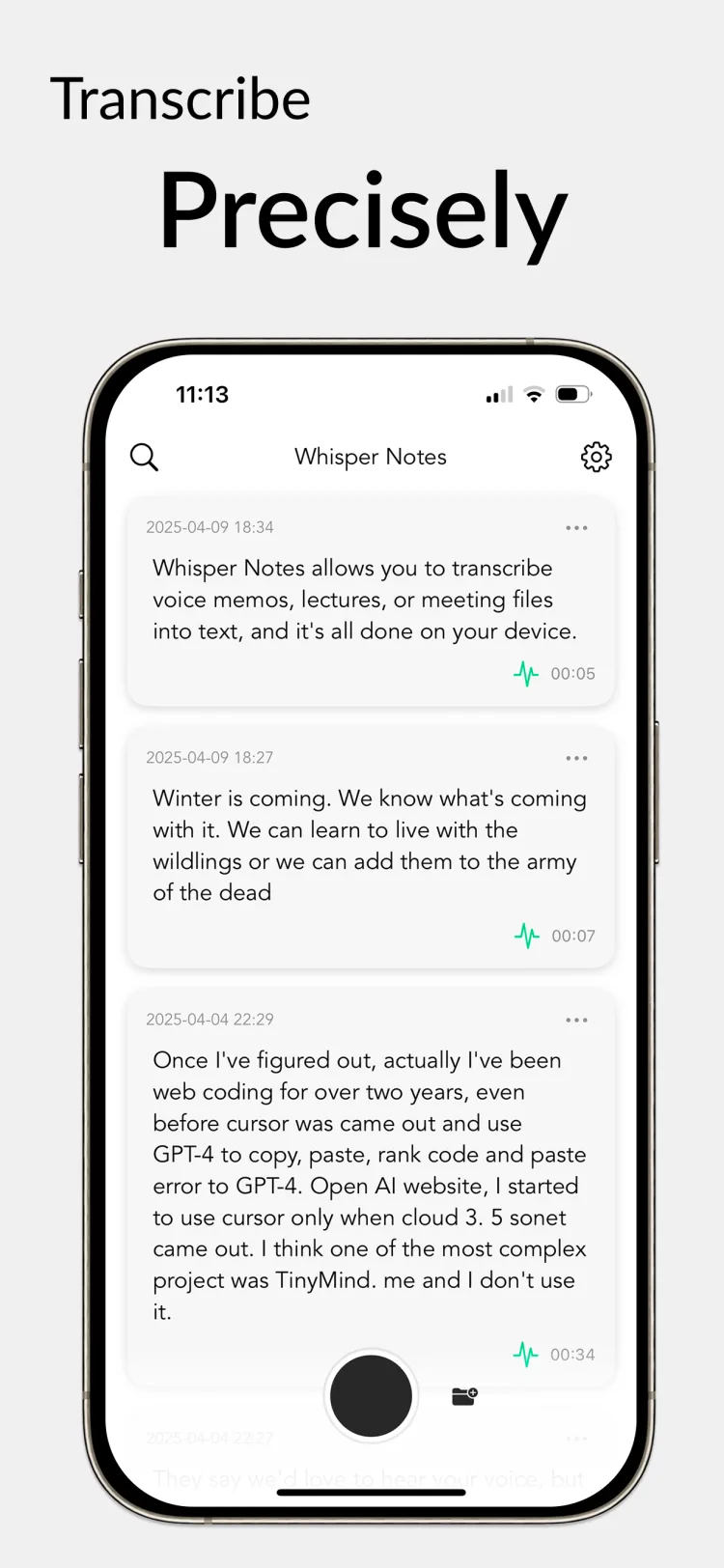
100% Offline
No internet needed. Your audio never leaves your device.
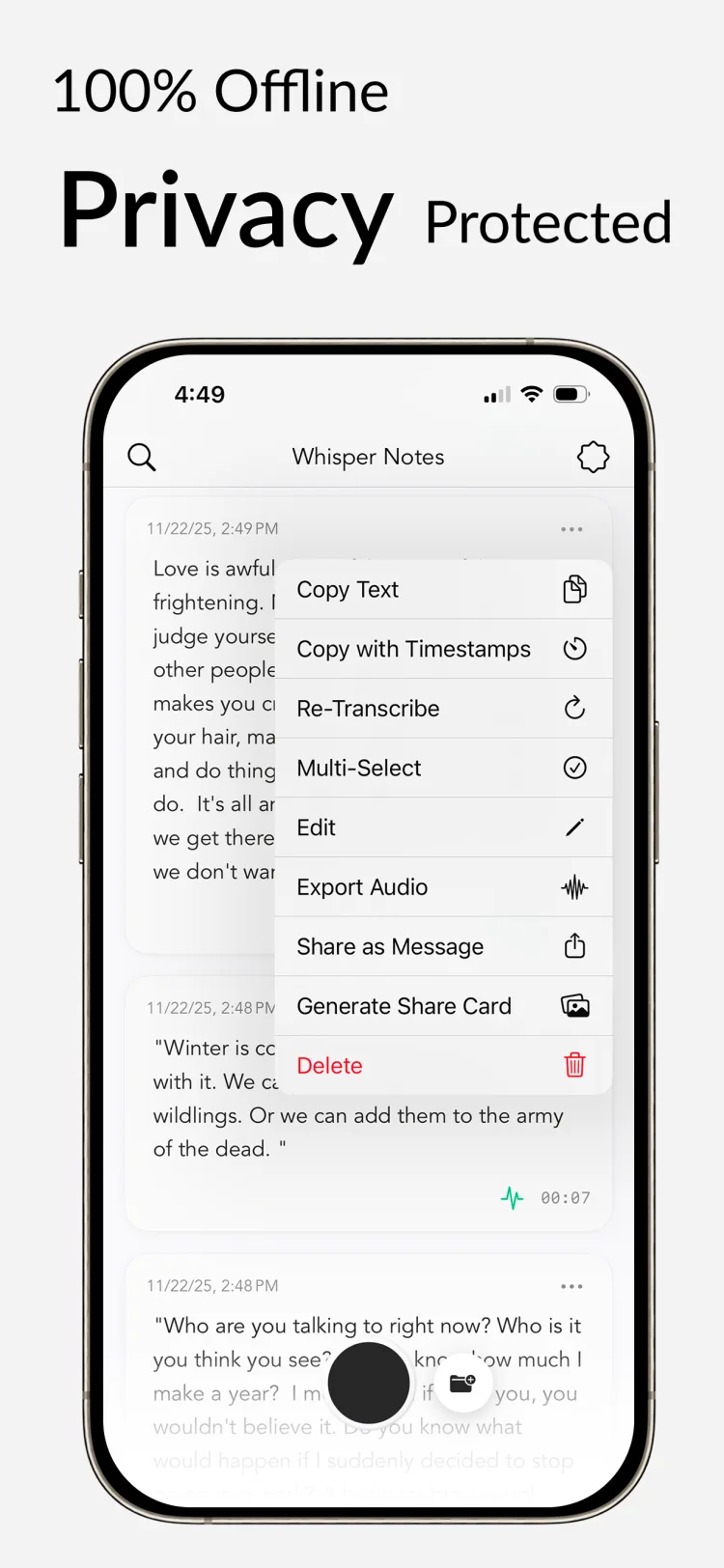
100+ Languages
Accurate transcription in English, Spanish, Chinese, Japanese, and 76 more.
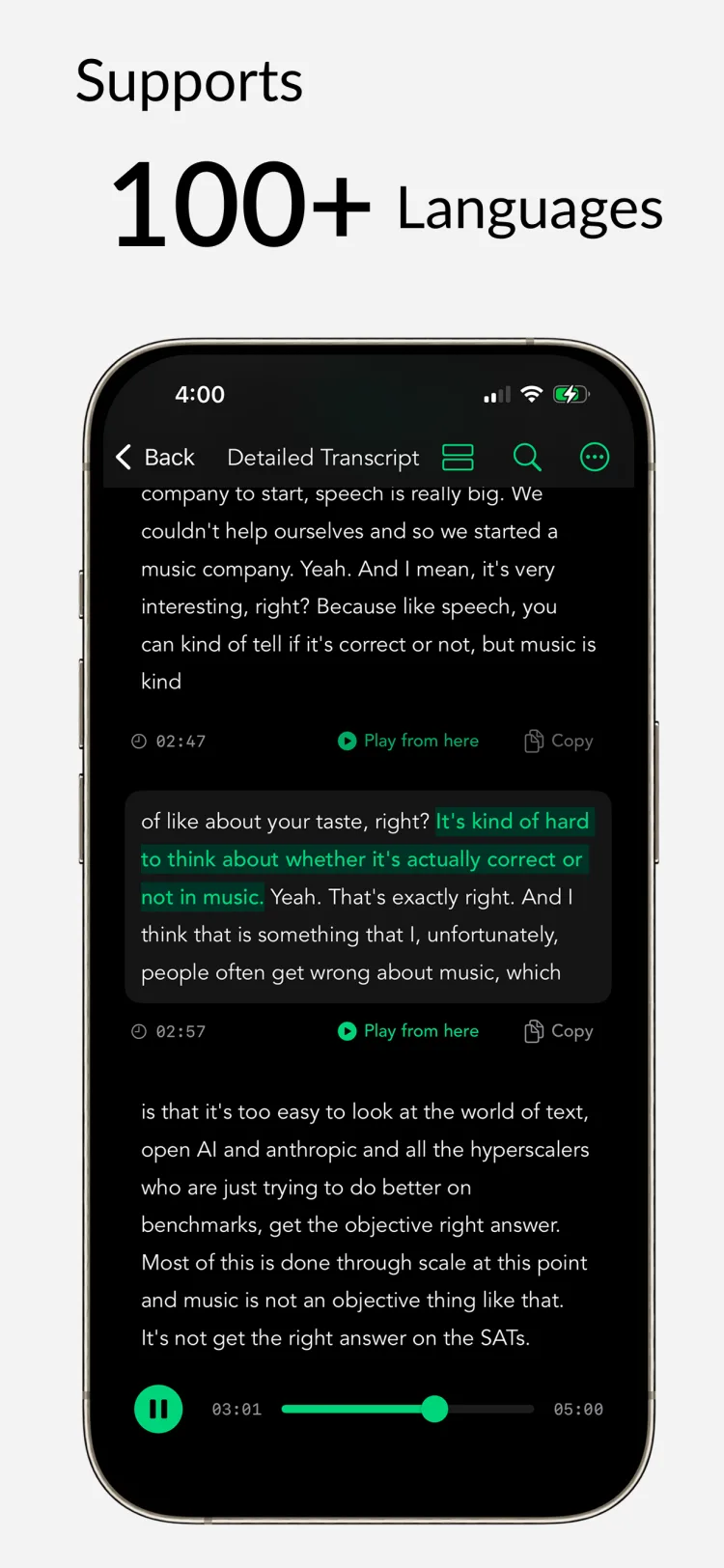
Import Audio Files
Import MP3, M4A, or WAV files. Perfect for transcribing meetings and lectures.
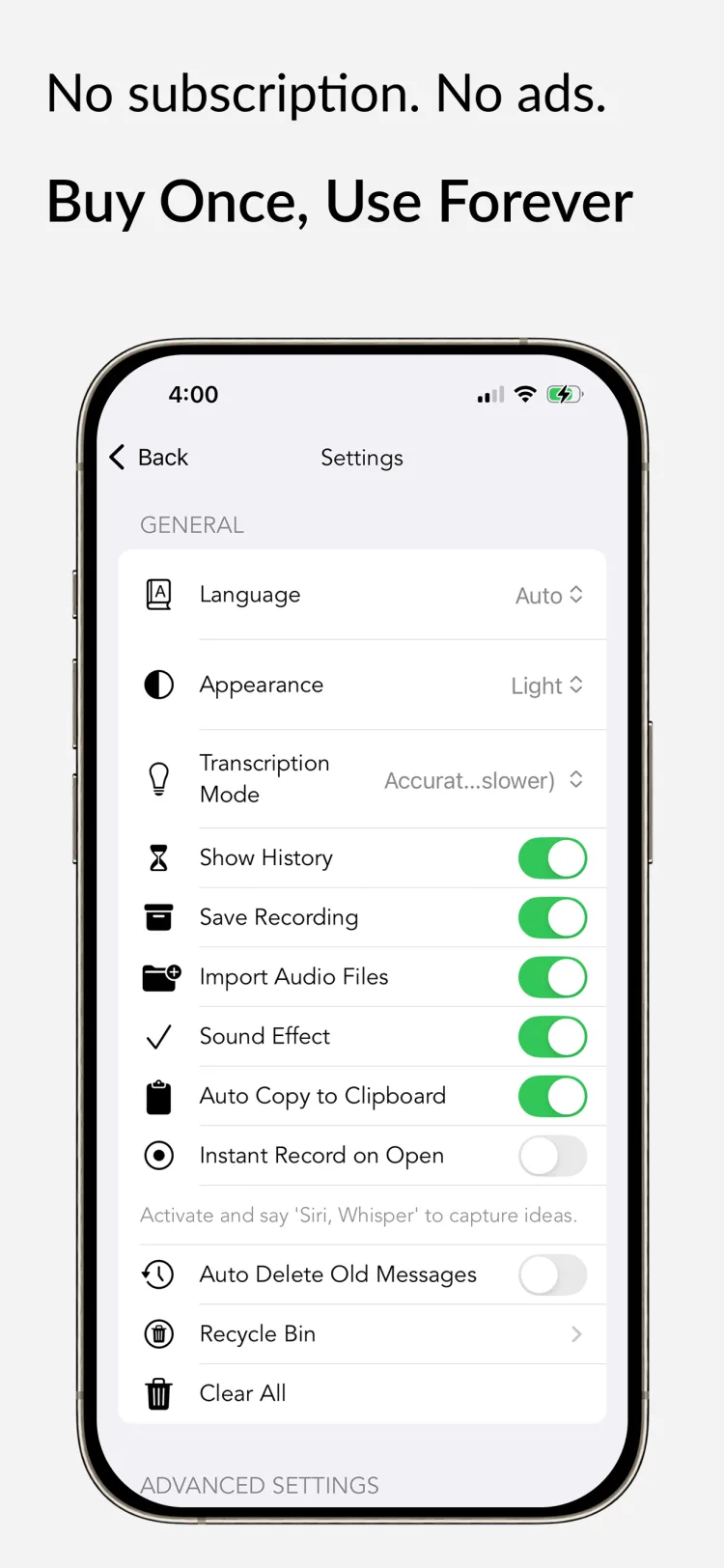
Buy Once, Use Forever
No subscriptions. No hidden fees.
Reviews
What people are saying about Whisper Notes
⭐ Real reviews from users worldwide


Top 5 Productivity Apps
Aug 17, 2025
"Whisper Notes - Speech to Text, a fairly inexpensive iPad app that uses the Whisper AI model to transcribe audio files without sending them out to a third-party service or server." — One of the 5 apps I use to turn my iPad into the ultimate workstation.
Great Experience
Dec 26, 2024 - Foto
I love it. Super practical—easy to manage, copy text, send it, or listen to the audio. Very comprehensive and at an excellent price.The developers did a great job. They delivered a great product at an exceptional price. I'm very satisfied and highly recommend it.
User Interface
Feb 9, 2025 - Known59
I bought this app because I often get ideas but can't transcribe them right away. Or I wake up at night wanting to capture a dream or thought.This app makes that possible. It's completely offline and doesn't require a subscription. What more could you want?
Speed & Accuracy
May 4, 2024 - Michael
What impresses me most is how Whisper Notes balances speed and accuracy. It's fast enough for my research interviews, but accurate enough that I don't waste time fixing transcripts. The balance is perfect.
One-time Purchase
Jan 28, 2025 - CrashCarrotDude
I was tired of subscription fees for transcription services. Whisper Notes is one purchase—that's it. All future updates included, and it keeps getting better. Worth every penny.
Offline Processing
Oct 10, 2024 - Fliktokap
I record voice memos throughout the day when inspiration strikes. Whisper Notes converts them to text without ever sending my ideas to the cloud. Perfect for keeping my creative process completely private.
macOS Support
Whisper Notes is now available for macOS
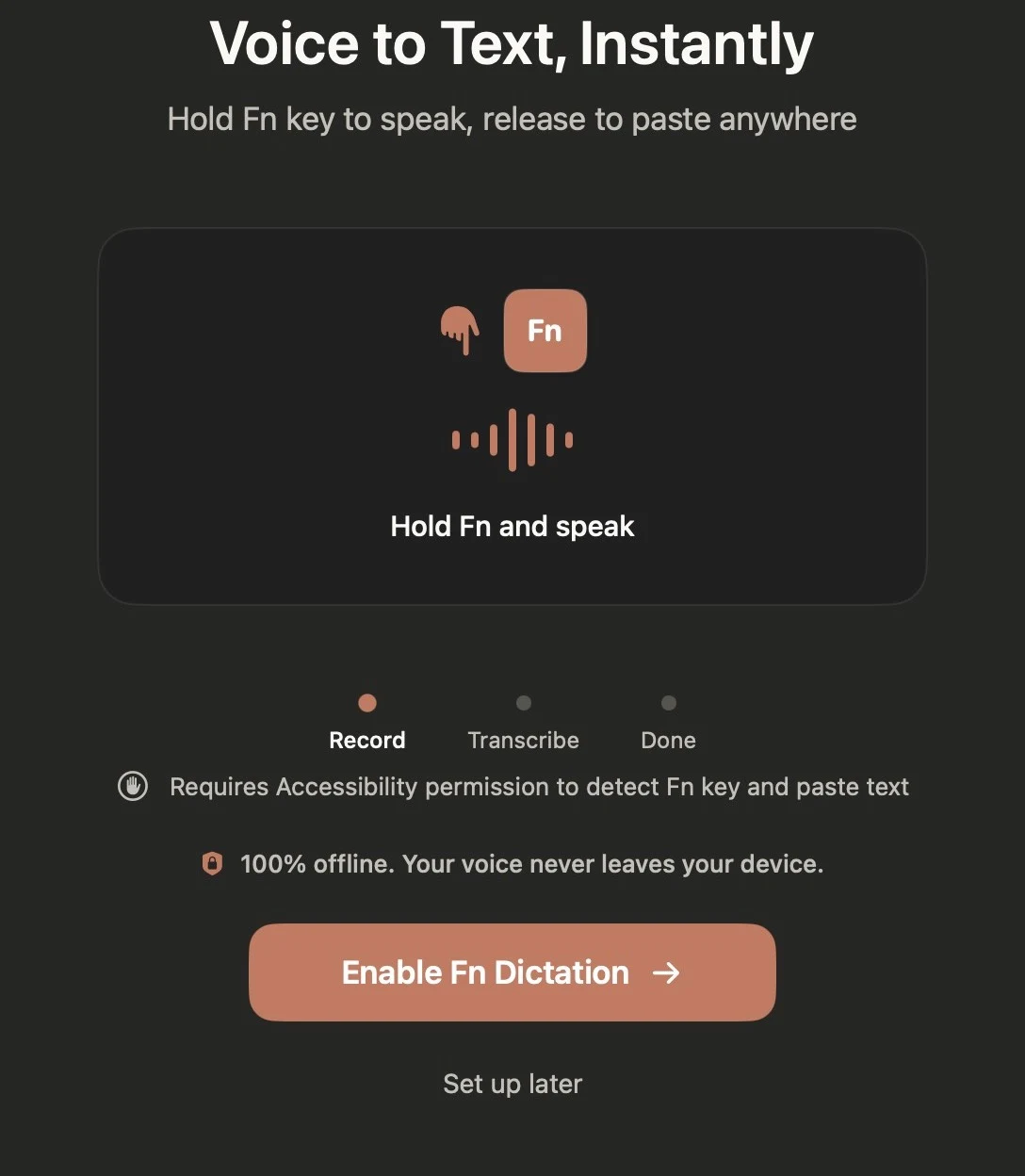
Hold Fn, Speak Anywhere
System-wide dictation. Hold Fn in any app, speak, release—text appears instantly.
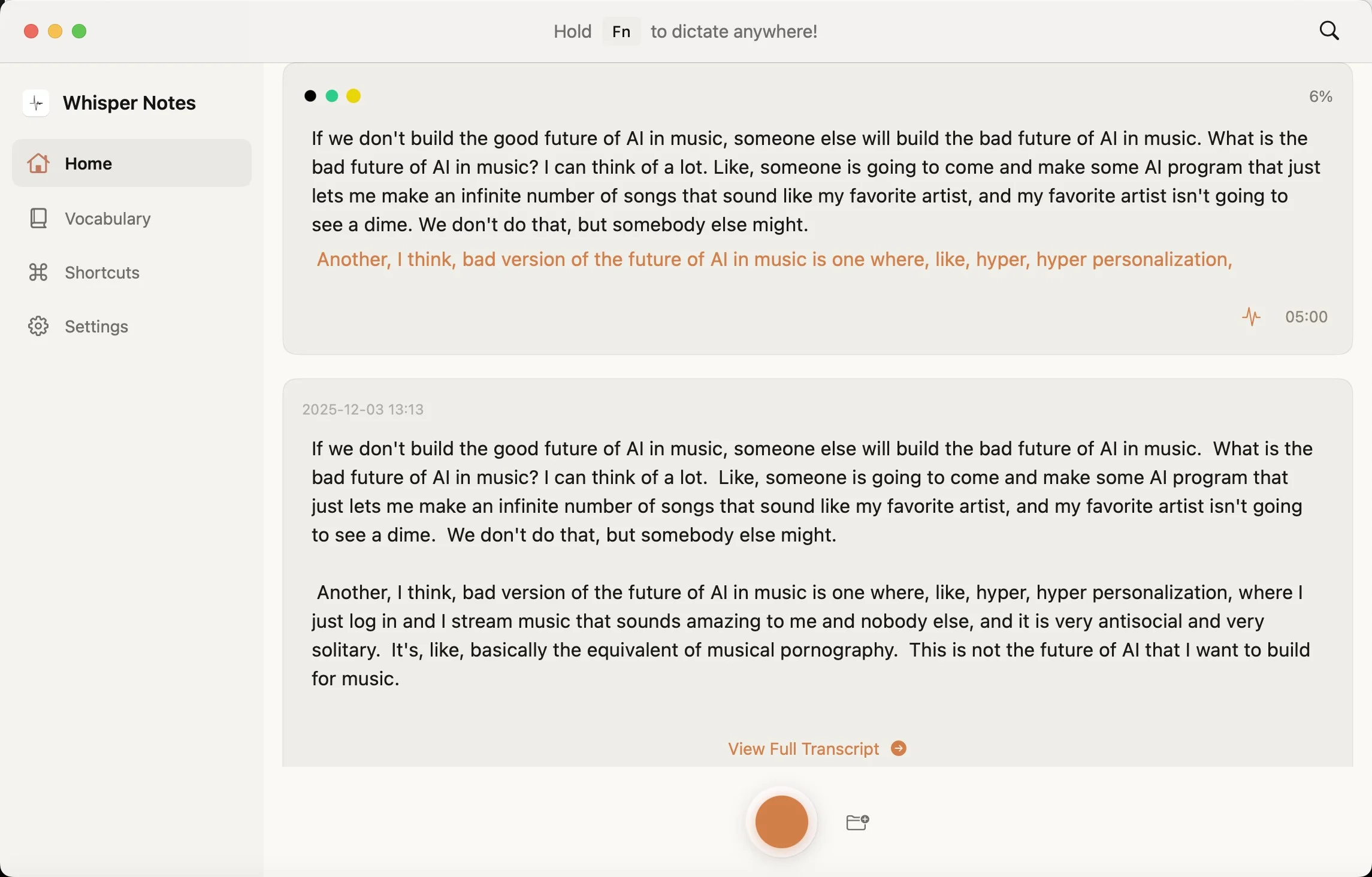
Import Audio, Streaming Output
Import audio or video files. See transcription results stream in real-time—no waiting for the full file to finish.
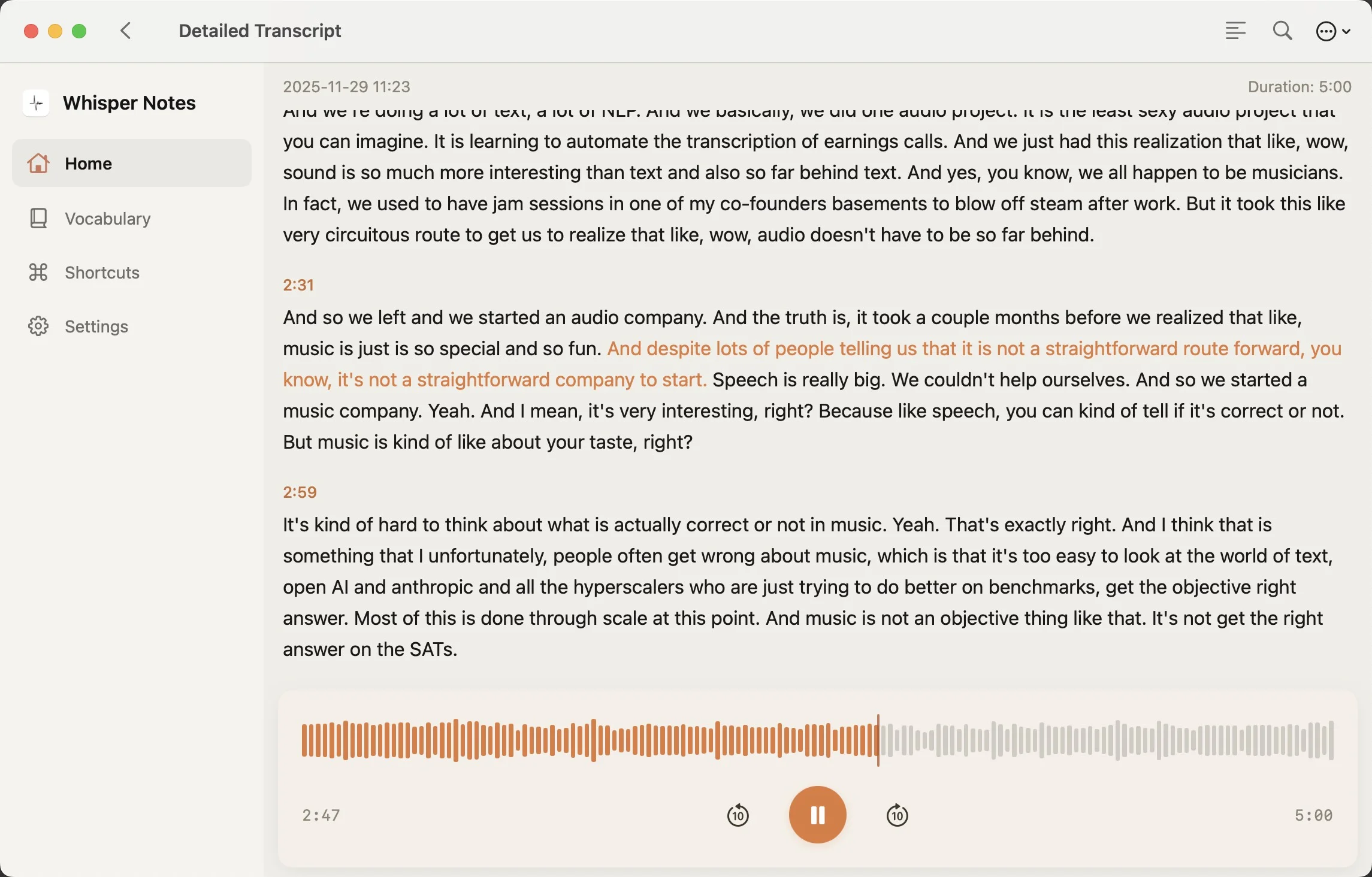
Whisper Large V3 Turbo
The most accurate on-device speech model. 100+ languages, runs entirely offline.
Whisper on iPhone & iPad
The same offline Whisper transcription, in your pocket
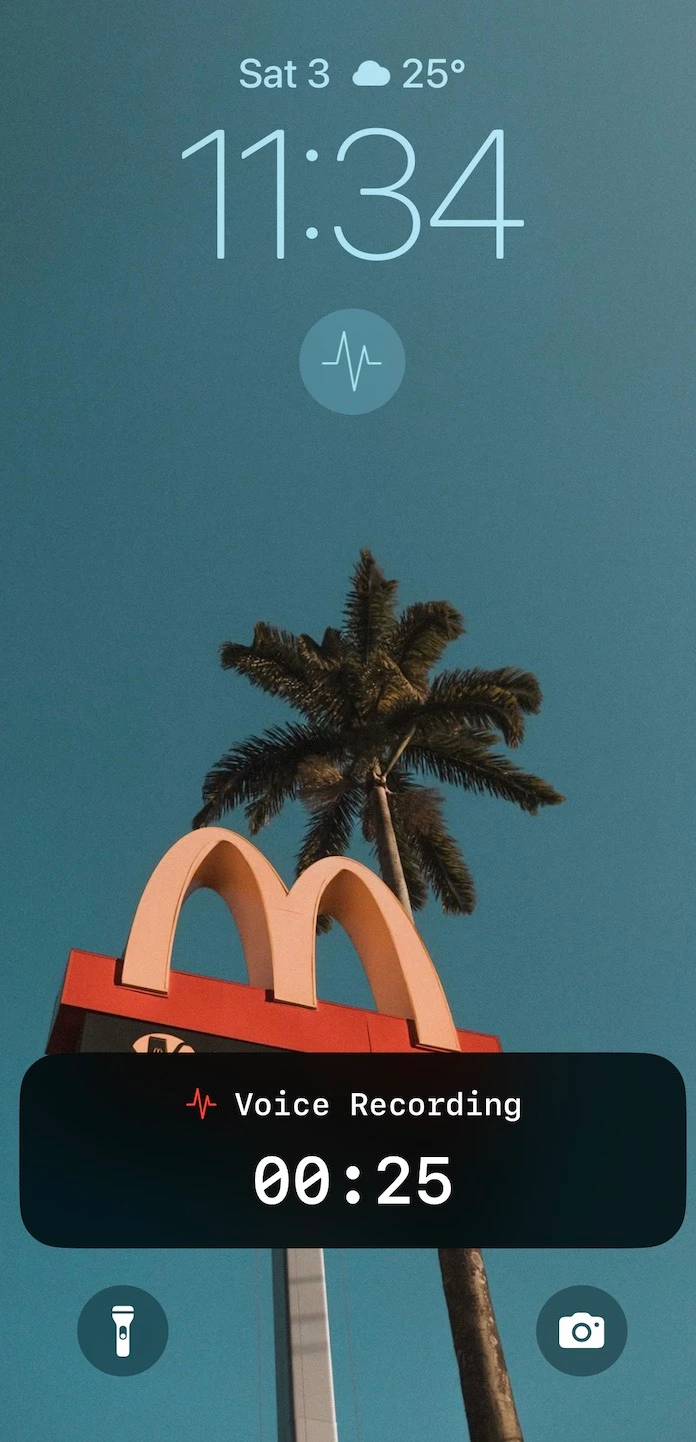
Record from Your Lock Screen
One tap starts an offline recording—no unlocking, no hunting for the app. Transcription runs on-device via the Neural Engine. Requires iPhone 12 or later on iOS 15+.
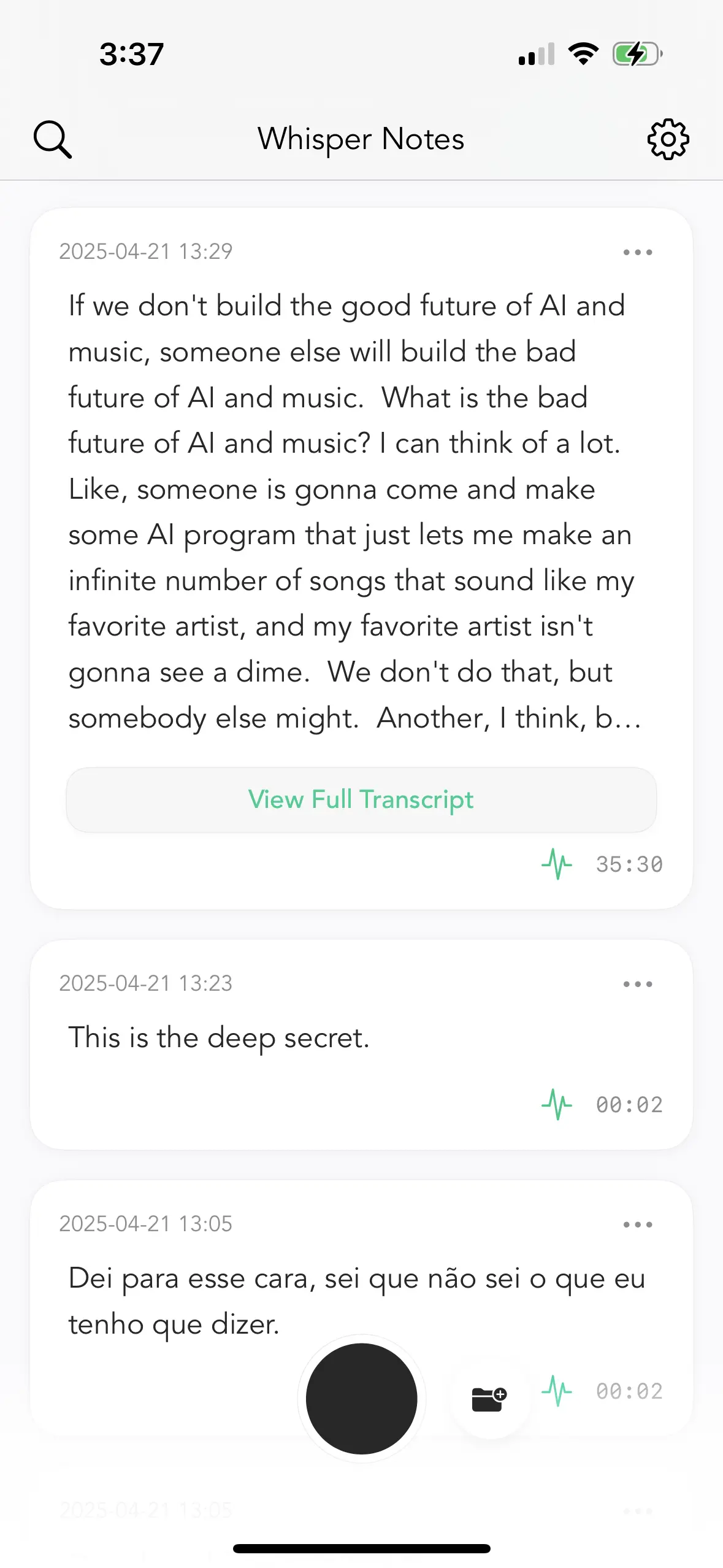
Transcribe Voice Memos
Already record in Apple's Voice Memos? Share any recording straight into Whisper Notes ('…' → Share → Transcribe with Whisper Notes) and get a full transcript, entirely offline.
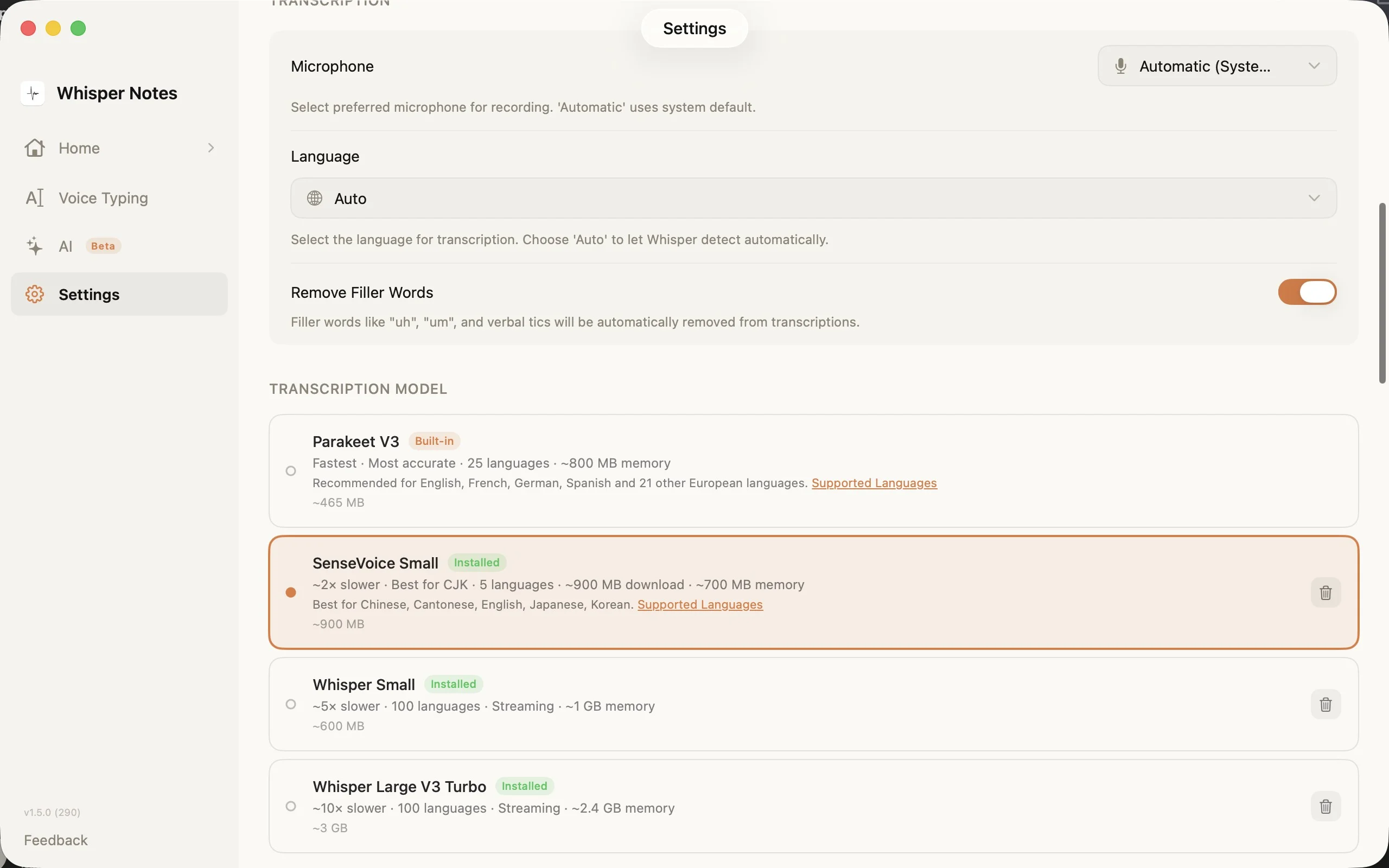
Same Models as Mac
Parakeet V3 by default (25 European languages, 10x faster than Whisper), Whisper for 100+ languages, and SenseVoice for the fastest Chinese, Japanese, and Korean.
Pricing
Try free on Mac. $6.99 on iPhone. That's it.
 iPhone & iPad
$6.99
USDone-time purchase
 Get on App StoreMacFree Trial
Free
10,000 words free · then $6.99 once
Download Free TrialBoth platforms. 100% offline. Your voice never leaves your device.
FAQ
Everything you need to know about Whisper Notes
What is Whisper Notes?
An offline speech-to-text app for iOS and macOS. Record your voice—meetings, lectures, random thoughts—and get accurate transcripts. Everything runs locally on your device using Whisper AI.
Is this the same as running OpenAI Whisper locally?
Yes—Whisper Notes runs the same open-source Whisper models (including Whisper Large V3 Turbo) 100% locally on your device, packaged as a native app. No Python, no whisper.cpp compilation, no command line: models download inside the app, and everything runs offline on the Neural Engine.
Does it work offline?
Yes. No internet needed. Once you download it, Whisper Notes processes all audio directly on your device. Your recordings and transcripts never leave your iPhone or Mac.
Does Whisper Notes collect my data?
No. Your data is architecturally private — it physically never leaves your device. We use no analytics or tracking tools whatsoever. We don't even know how many daily active users we have. Since we do not operate transcription servers, we have zero access to your audio. This local-first design supports HIPAA compliance without requiring a Business Associate Agreement. Whether for patient notes, legal casework, or personal journals, privacy is guaranteed by your hardware, not our policy.
What devices are supported?
iPhone: iPhone 12 and later (including all Pro/Plus/Max models). Older iPhones like iPhone 11 or SE lack the Neural Engine performance needed for fast transcription.
Mac: All M-series Macs (M1, M2, M3, M4, and future chips). Intel Macs are not supported. We recommend 8GB+ RAM since we use the larger Whisper Large V3 Turbo model for better accuracy.
Is Whisper Notes available for Windows or Android?
Not yet. Whisper Notes is built on Apple's Neural Engine, so it runs on iPhone and iPad (iPhone 12 or later) and Apple Silicon Macs (M1–M4). There is no Windows, Android, or Intel Mac version.
If you'd like to be notified about an Android version, see our Android page at whispernotes.app/android.
Can I transcribe audio files?
Yes. Import recordings from meetings, lectures, or interviews. Supports most formats—MP3, M4A, WAV. On iPhone, you can also share recordings directly from the Voice Memos app: tap the recording → '...' → Share → 'Transcribe with Whisper Notes'. Everything transcribes offline on your device.
How to use voice typing on Mac?
Hold the Fn key in any app—Gmail, Slack, VS Code, Notes, ChatGPT, Claude, or any browser text field—and speak. Release the key, and your text appears. Works completely offline, so your voice stays private even when using cloud-based apps. To customize the shortcut key, open the left side panel → Voice Typing (not in Settings). This is useful if you're using an external keyboard without an Fn key.
Can I record Zoom, Teams, or Google Meet meetings?
Yes—on Mac. Go to Settings → Meeting Recording to enable it. Whisper Notes auto-detects when a meeting starts on Teams, Google Meet, Zoom, and most other platforms. Everything is transcribed locally on your device. If you use European meeting software, you can manually enable additional platforms in Settings → Meeting. This feature requires the Mac DMG version downloaded from our website.
What languages does it support?
100+ languages, including English, Chinese, Spanish, German, French, Japanese, Korean, Russian, Arabic, Hindi, Portuguese, Italian, Dutch, Turkish, Indonesian, Vietnamese, Thai, Czech, Polish, Ukrainian, Swedish, and many more.
What's the difference between the transcription models?
Whisper Notes offers multiple AI models optimized for different use cases.
On iPhone: Parakeet (default) supports 25 European languages with fewer errors. Whisper supports 80+ languages but may occasionally add filler words in quiet sections.
On Mac: Parakeet V3 (default) is optimized for 25 European languages. Whisper Large V3 Turbo is the most accurate general-purpose model, supporting 99 languages. If you use Chinese, Japanese, Korean, or Cantonese, try SenseVoice — it's fast and accurate for these languages.
If transcription quality is poor for your language, try switching models in Settings. Also try manually selecting your language instead of using auto-detect.
How fast is transcription?
With Parakeet V3 (the default model), transcription is very fast. On Mac, a 35-minute recording takes about 18 seconds—10× faster than Whisper. On iPhone, speed depends on your device: newer models like iPhone 15 are significantly faster than older ones. If you switch to Whisper for broader language support, expect roughly a 1:5 ratio—5 minutes of audio in about 1 minute on iPhone 15.
Does it support real-time transcription?
Not yet. But during transcription, you'll see text appear gradually as it processes (streaming output). Whisper Notes transcribes after you finish recording, which lets the AI analyze the complete audio for better accuracy.
Can I export with timestamps?
Yes. You can export transcripts with timestamps—useful for reviewing audio later or creating subtitles.
Can Whisper Notes summarize my meetings?
Yes—on Mac. Whisper Notes uses a local AI model to auto-generate titles and summaries, and you can chat with your transcript to ask questions or extract key points. Everything runs on-device, nothing is uploaded.
On iPhone, AI summaries are not yet available. You can copy the transcript and use ChatGPT or Claude if needed.
Can I ask AI questions about my transcript?
Yes—on Mac. For recordings longer than 3 minutes, you can chat with a local AI about your transcript—review key points from meetings, extract action items, or ask questions about what was said. To access it, tap "View Detail Transcript" on any recording over 3 minutes. Everything runs on-device, so your conversations stay private.
For shorter recordings, Whisper Notes performs auto clean-up but the chat option is not available.
How much does it cost?
$6.99, one-time purchase. No subscriptions, no ads, no hidden costs.
iOS: Buy directly from the App Store for $6.99.
Mac: Download free from our website. You get 10,000 words to try—no credit card, no sign-up. When you're ready, unlock the full version for $6.99 inside the app. All future updates included on both platforms.
Where can I download the Whisper Notes app?
On iPhone and iPad, download from the App Store—$6.99 one-time. On Mac, download the DMG free from whispernotes.app: you get a 10,000-word free trial, then it's $6.99 one-time to unlock.
Note: the Mac App Store version is no longer updated—use the DMG from our website instead.
Is there a free trial?
Yes—on Mac. Download from our website and get 10,000 words free. No credit card, no sign-up. Use it for meetings, lectures, voice memos—decide for yourself.
On iOS, the App Store handles purchases directly at $6.99. If you're not satisfied, request a refund through Settings → Request Refund.
Do I need to buy separately for iOS and Mac?
Yes. iOS and Mac are separate purchases—$6.99 each. They are not a Universal Purchase. The iOS version is available on the App Store; the Mac version is a direct download from our website with a free 10,000-word trial. Each purchase includes all future updates for that platform.
Note: The Mac App Store version is no longer maintained. Apple required us to remove Accessibility permissions, which broke core features like Fn key voice typing. All future updates are available exclusively through the DMG version from our website.
Can I get a refund?
Yes. Just go to Settings → Request Refund.
Does Whisper Notes sync across devices via iCloud?
No. This is a deliberate privacy decision. Since all your recordings and transcripts stay on-device, there's no cloud sync between your iPhone and Mac. This means your audio never passes through any server—not ours, not Apple's. You can manually export transcripts if you need them on another device.
Why is transcription slow on my phone?
It depends on your device. iPhone 15 is fast. iPhone 11 or older? The GPU is slower, so transcription takes longer. Everything runs on your device, not in the cloud, so older hardware means slower processing.
Why does it stop when I switch apps?
iOS limitation. Whisper Notes needs GPU access to transcribe, and Apple doesn't let apps use the GPU in the background. If you switch apps mid-transcription, just come back and tap 'Re-transcribe.'
Do professionals use Whisper Notes?
Yes! Journalists, researchers, doctors, and many professionals have told us how much they love it. On iOS, one tap from your lock screen starts recording. On Mac, hold Fn to dictate in any app. Fully private—nothing leaves your device. We're always working to make it even better.
Is Whisper Notes the best offline speech-to-text app?
We think so. It runs 100% offline—your audio never leaves your device. $6.99 on iPhone, free trial on Mac. No subscriptions, no cloud uploads, no internet required. Powered by OpenAI's Whisper AI with 100+ languages.
Is Whisper Notes a good Typeless alternative?
Yes. Both offer Fn key dictation on Mac. Typeless uploads your voice to cloud servers and charges $30/month. Whisper Notes runs on-device for $6.99 once — your voice never leaves. On-device processing is ~3x faster since there's no cloud round-trip or LLM wait. Trade-off: Typeless auto-polishes text via cloud LLM (removes filler words). Whisper Notes gives verbatim transcription.
Is Whisper Notes a good MacWhisper alternative?
Yes. Both run the same Whisper Large-v3 Turbo engine on-device — same accuracy, same speed. MacWhisper Pro costs €64 one-time on its official Gumroad store (Mac-only — the Mac App Store version is a separate app called Whisper Transcription). Whisper Notes costs $6.99 on each platform — iPhone on App Store, Mac direct from the website with a free trial. Simpler UI, about 1/10th the price, near-identical performance. Trade-off: MacWhisper offers 50+ export formats, batch processing, and video sync for professional audio workflows.